Categories, brands, attributes and tags
Organise your catalogue with a category tree, brands, attributes (size, colour) and tags.
Categories#
Catalog > Categories shows your category tree.
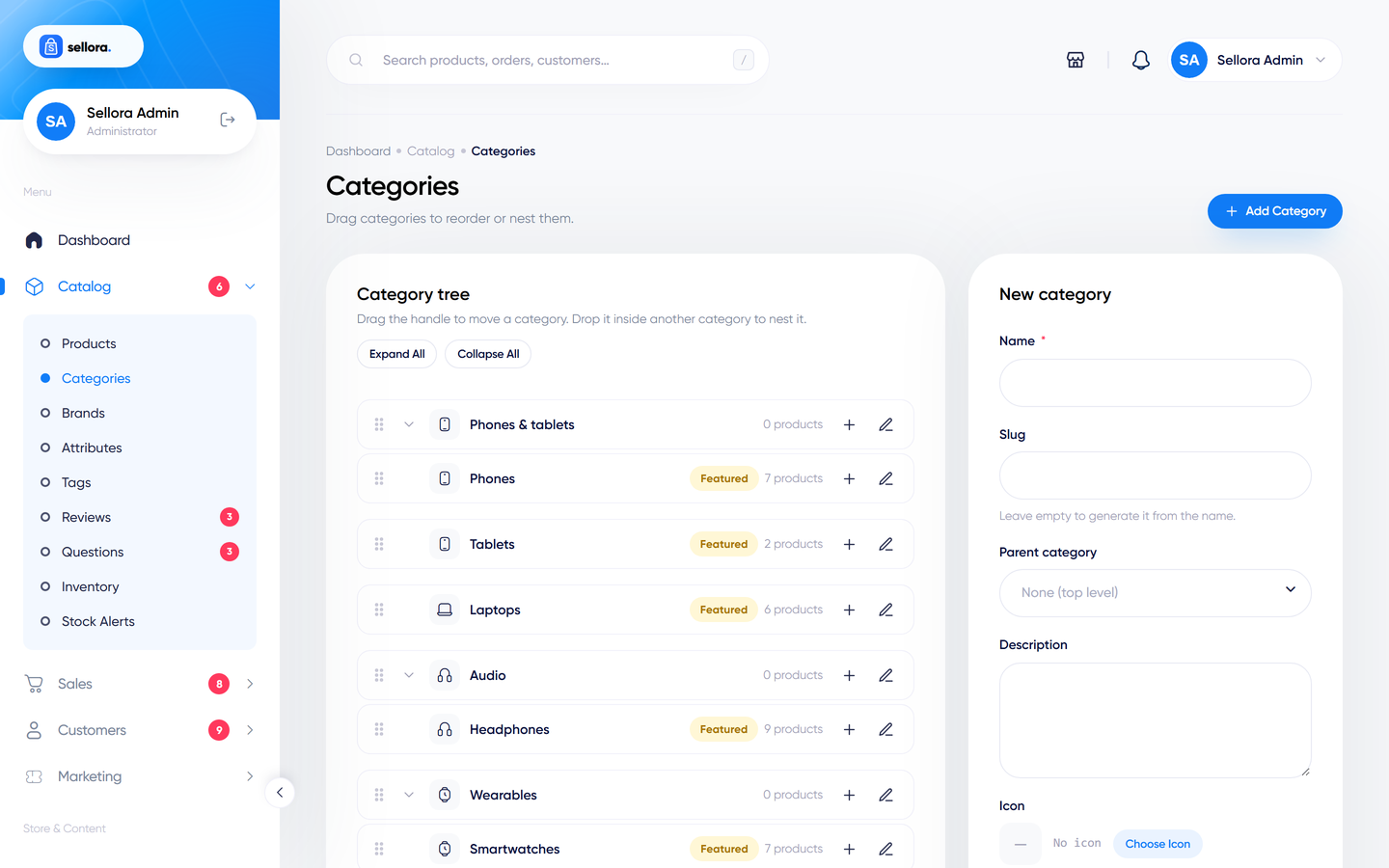
- Add a category with a name, slug (the web address part), description, image, an icon chosen from the icon picker, status and SEO fields.
- Nesting and order: drag a category onto another to make it a sub-category, and drag to reorder. Sellora refuses moves that would create a loop.
- Deleting a category moves its sub-categories up one level and detaches its products (you must confirm when it still has products). The slug is freed so it can be used again.
- Products can belong to several categories. A shopper viewing a parent category also sees products from its children.
- The Featured categories and the category icons are used by the home-page sections and menus.
Brands#
Catalog > Brands: name, slug, logo, description, SEO and status. Brands appear on product pages, in the shop filter and on the /brands page, and can be shown as a logo strip on the home page. Deleting a brand removes it from its products.
Attributes#
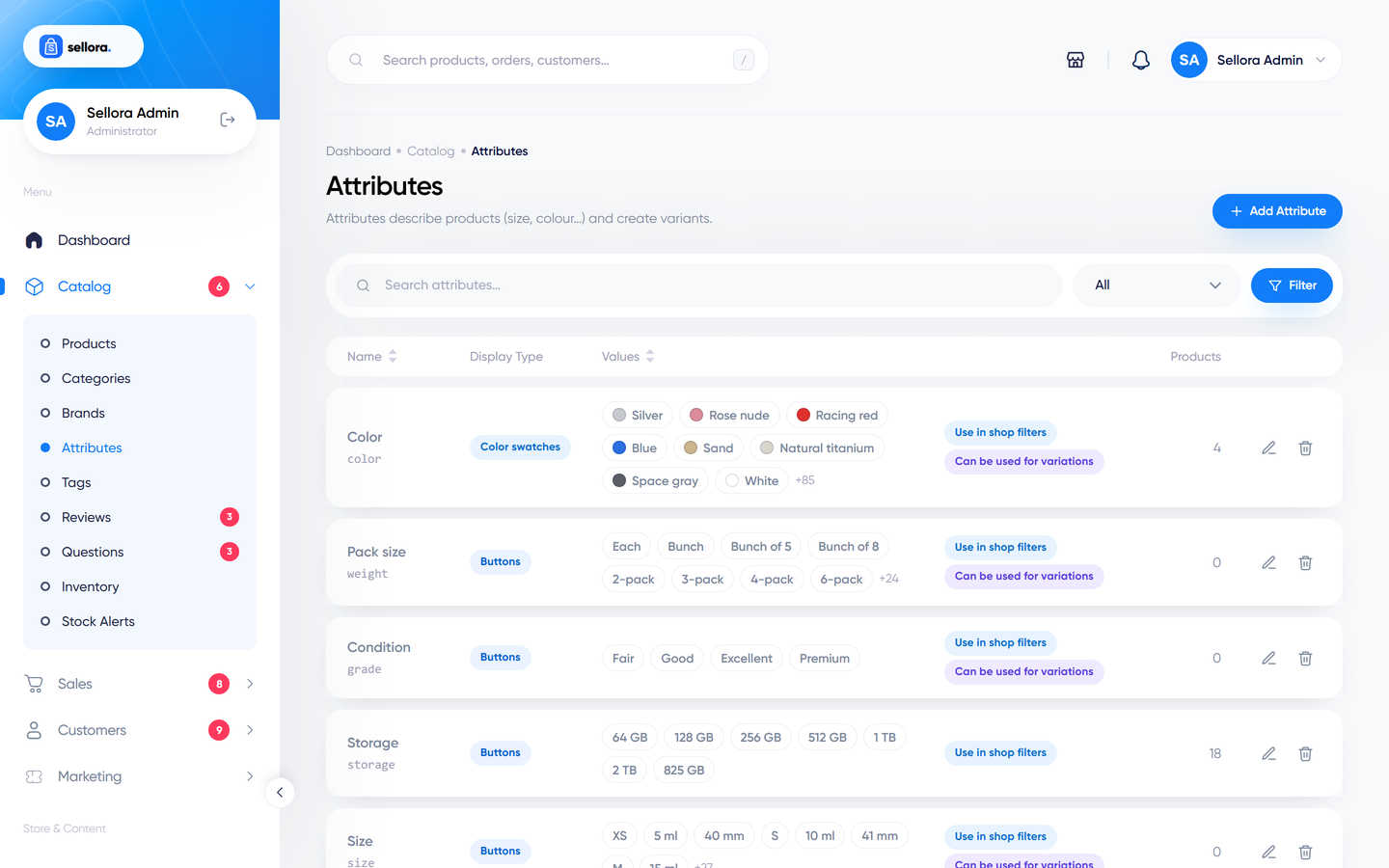
Attributes describe products and are used for variations and for filters in the shop.
Catalog > Attributes > Add attribute:
- Give it a name (Size, Colour, Material).
- Choose the type - how the choices look on the product page: button, dropdown, colour swatch (each value has a colour), image swatch, or plain text.
- Add its values (S, M, L ... or colour names with their colour).
- Tick whether it is used for filtering in the shop.
You can also add a new value on the fly from the product editor without leaving the page.
Tags#
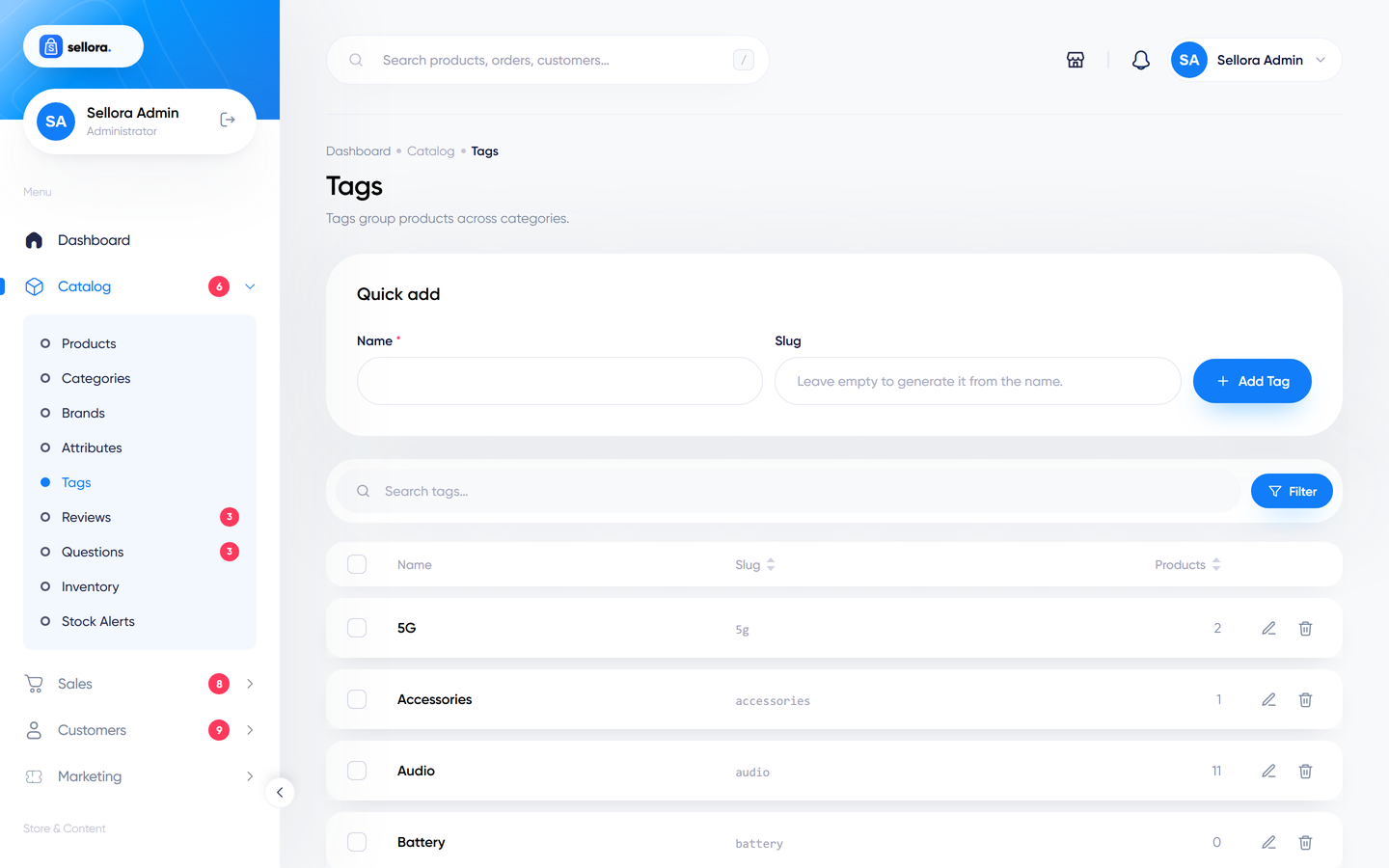
Catalog > Tags are free-form labels (for example "summer", "gift idea"). Tags can be created while editing a product. In the tags screen you can rename a tag inline, delete tags in bulk, or merge several tags into one. Tag pages are available at /tag/your-tag.