
Currencies, languages and translations
Sell in several currencies, add languages (including right-to-left) and edit translations in the admin panel.
Currencies#
Open Settings > Currencies.
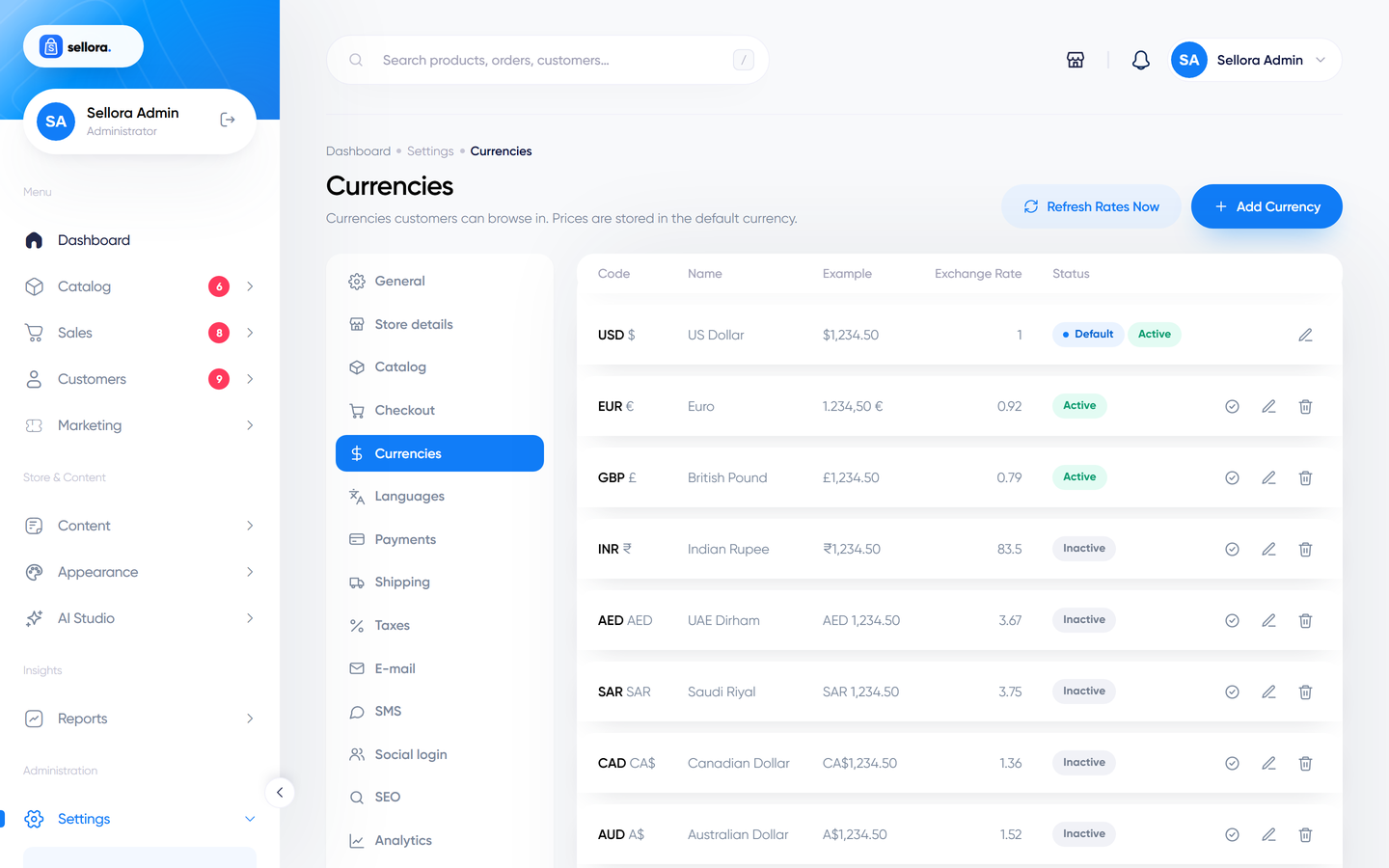
Sellora includes 12 currencies; USD is the default, and USD, EUR and GBP are active. Customers choose among the active currencies with the switcher in the header, and prices are converted for display.
Add or edit a currency#
Fields: code (e.g. EUR), name, symbol, the exchange rate relative to the default currency, decimal places, the thousands and decimal separators and the symbol position (before, after, before with a space, after with a space), and active on/off.
Default currency#
The default (base) currency is the one prices are entered in and orders are stored in (together with the rate used at checkout). Changing the default re-bases the other exchange rates so conversions stay consistent. Choose the base currency carefully before you have orders - or change it only if you understand that existing amounts keep their numbers.
Automatic exchange rates#
Turn on auto refresh to update the rates daily (needs the cron job). Choose a provider:
| Provider | Key needed |
|---|---|
| Open ER API (default) | No, free |
| exchangerate.host | Yes |
| Fixer | Yes |
| Manual | You maintain the rates yourself |
Use Refresh now to update immediately. The checkout still charges in the currency the gateway accepts - see Payments overview.
Languages#
Open Settings > Languages.
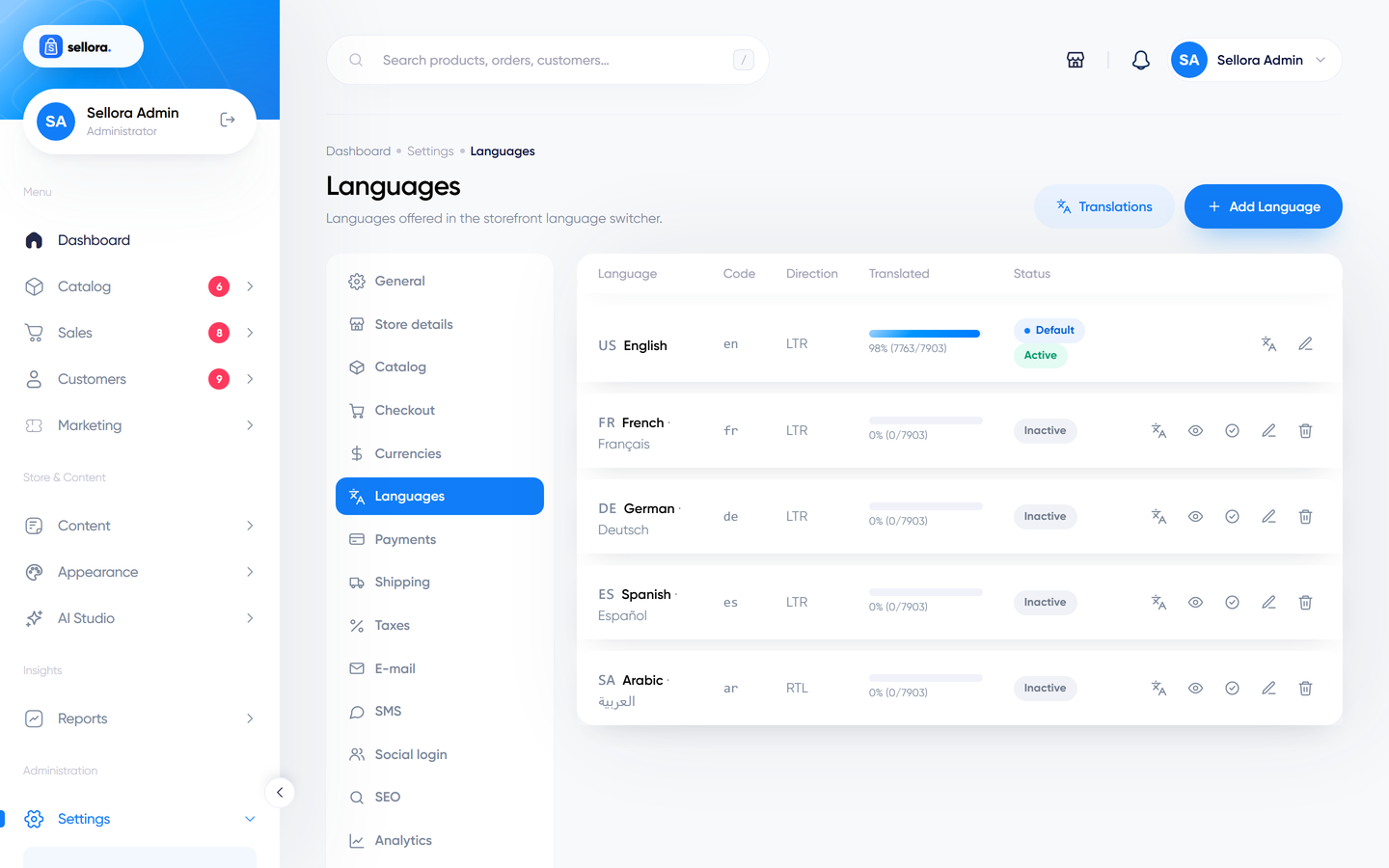
Sellora includes English (default, active) and French, German, Spanish and Arabic (right-to-left), which are inactive until you switch them on.
- Toggle a language on to make it available in the storefront language switcher.
- Add a language: code (
it), name, native name, flag and the text direction (left-to-right or right-to-left). - Set the default language (used when a visitor has not chosen one).
Translatable fields in the admin (product names, descriptions, category names, page content, menu labels and settings such as the tagline) show one tab per active language. If a translation is missing, Sellora falls back to the default language.
Right-to-left (RTL)#
Languages with direction rtl (for example Arabic, Hebrew, Persian, Urdu) switch the whole storefront and the admin panel to a mirrored layout automatically: the package ships right-to-left stylesheets and uses direction-aware CSS. Test your pages in RTL after switching on such a language, especially custom HTML you add in the Home builder or in Custom code.
Interface text#
All fixed texts in the storefront ("Add to cart", "Checkout" ...) come from translation files. The admin interface and the installer are English in this package; translations for other languages are created with the editor below or by adding language files (see Translations for developers).
Translation editor#
System > Translations lets you edit interface texts without touching files.
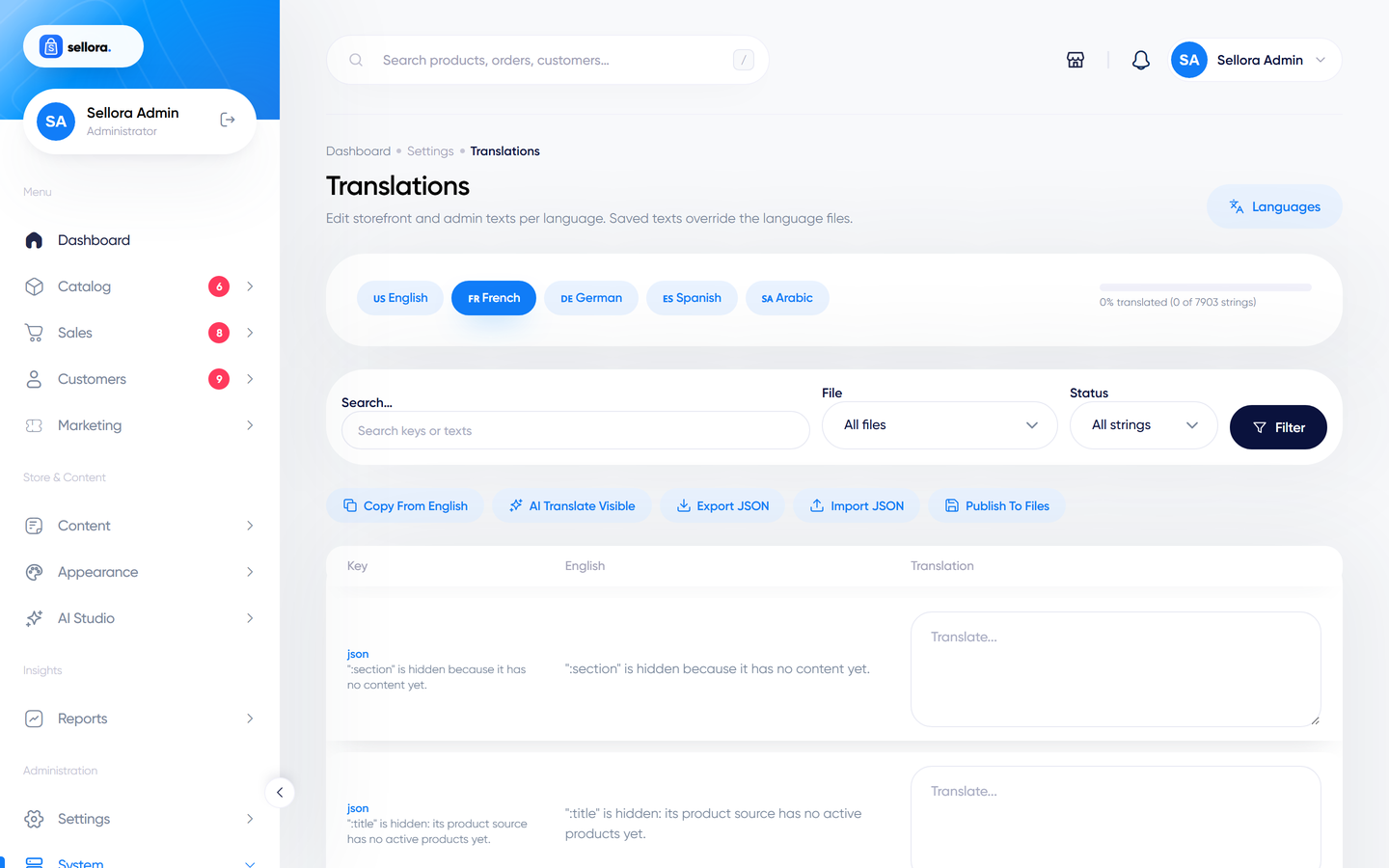
- Choose a language, search for a text, and type the translation. Changes apply to the storefront immediately.
- Bulk actions, copy the English texts into a new language as a starting point, and export / import the translations as a file to work in a spreadsheet or hand to a translator.
- If the AI Studio is configured, an AI translate button can draft translations for you; placeholders such as
:nameare protected. Always have a native speaker proofread - see AI Studio tools.
Your edits are stored in the database as overrides, so they survive updates.