
Settings reference
Every settings page in the admin panel, one by one - what each field does.
All settings pages are under Settings in the sidebar. Each page has a Save button; translatable fields (such as the tagline) have one tab per active language. Secrets (passwords, API keys) are stored encrypted and are never shown again: leave a secret field empty to keep the saved value.
This page covers the settings that are not described in more detail elsewhere. Pages with their own chapters: Payments, Shipping, Taxes, Currencies and languages, E-mail, SMS, Social login, SEO, Analytics, cookies and newsletter and PWA.
General#
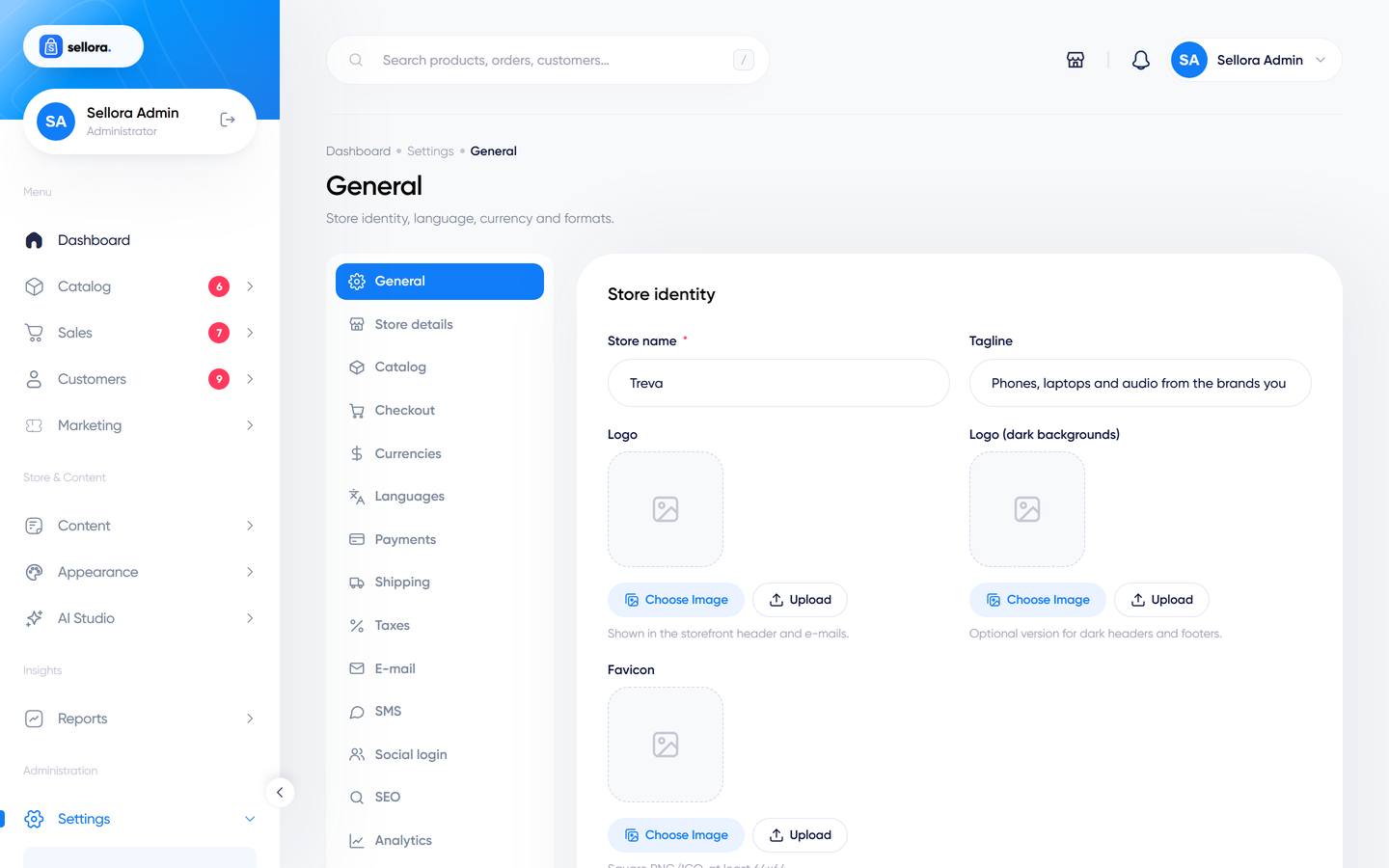
| Field | Notes |
|---|---|
| Store name, Tagline | Shown in the header, e-mails, invoices and the browser title. |
| Logo, Logo (dark backgrounds), Favicon | Upload images. The dark logo is used on dark areas such as some footers. |
| Copyright text | The line in the footer. |
| Default language, Default currency | Changing the default currency re-bases the other exchange rates. |
| Timezone, Date format, Time format | Used throughout the admin and on order e-mails. |
| Blog title, Blog intro text | Heading of the blog page. |
| Blog list design, Blog post design | Visual pickers: Theme default, Journal (standard) and four classic styles. See Blog layouts. |
| Allow comments, Auto-approve comments | Blog comment behaviour. |
Store details#
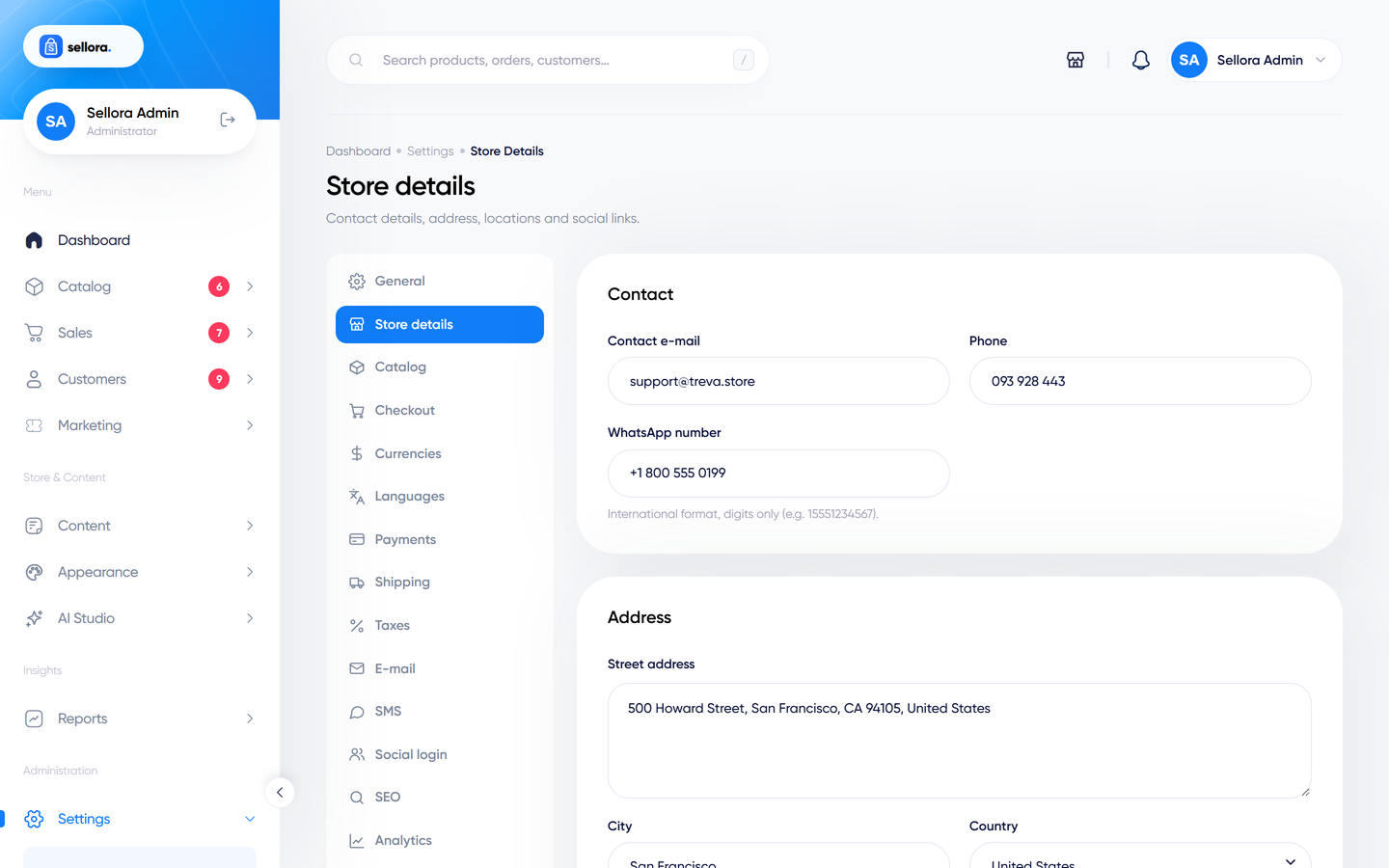
Contact e-mail, phone, WhatsApp number, street address, city, country, region, ZIP and a map embed URL; a repeater of store locations; the contact form recipient, opening hours text and typical reply time; and the social profile links (Facebook, Instagram, Twitter, YouTube, TikTok, LinkedIn, Pinterest) used in the footer.
Catalog#
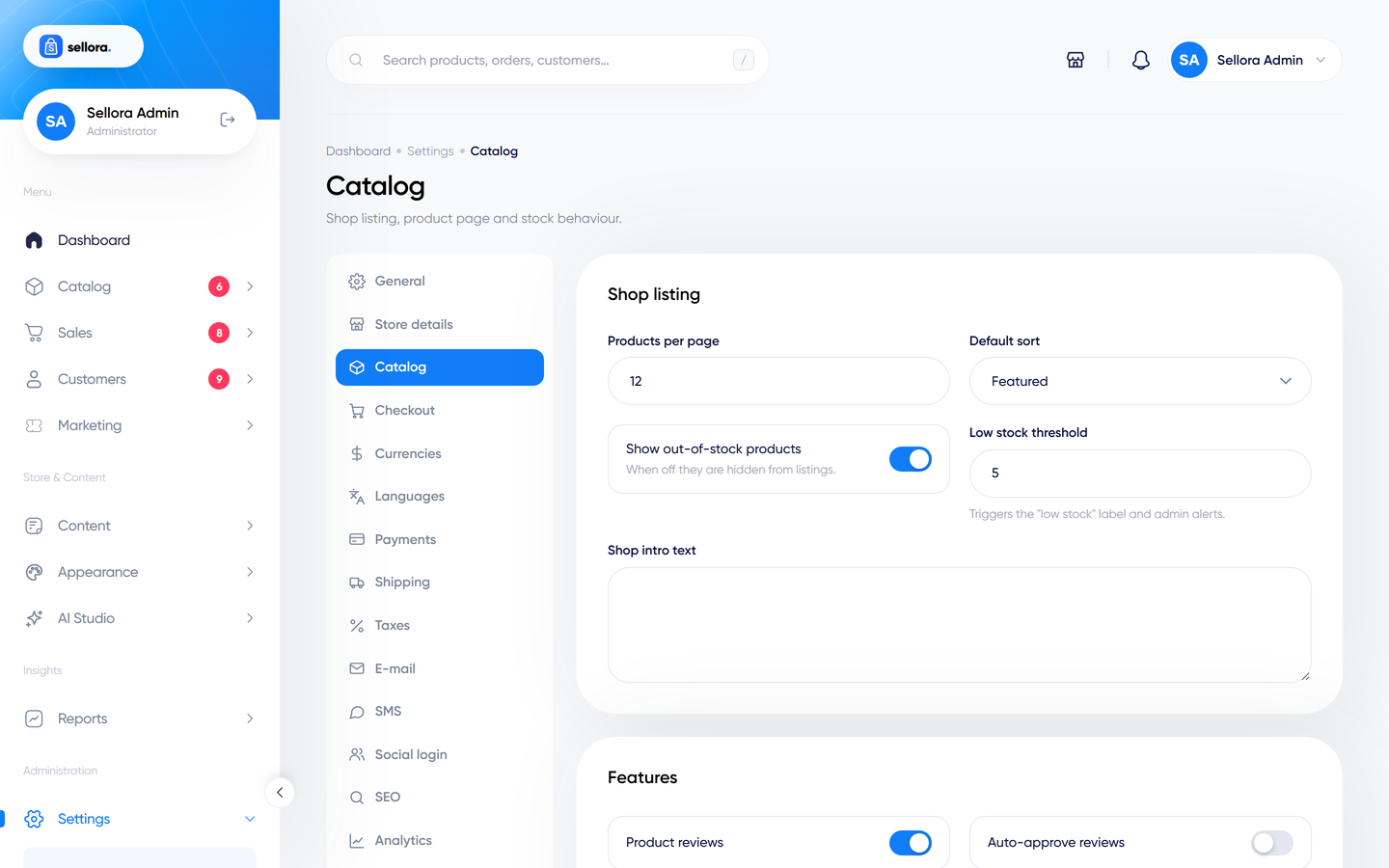
| Group | Fields |
|---|---|
| Listing | Products per page, default sort, show out-of-stock products, low-stock threshold, shop intro text. |
| Features (switch each on/off) | Product reviews, auto-approve reviews, guest reviews, product Q&A, auto-approve questions, compare, wishlist, wishlist for guests, quick view, recently viewed, back-in-stock alerts. |
| Product page | Hide .00 on whole prices, show brand, show SKU, show an instalments line (with number of instalments), show a delivery cut-off line (order cut-off hour and delivery business days), the "frequently bought together" coupon code, Product page layout (Sticky by default; also Gallery, Full width, Tabs, Kit or Theme default - see Product page layouts), product-page perks, size guide, care instructions and shipping and returns text. |
Note
Frequently bought together shows plain totals unless you enter the code of a valid percent coupon (create it in Marketing > Coupons). Then the box shows that coupon's percentage and the coupon is applied to the cart when the shopper adds the set. A cart holds one coupon, and it discounts the whole cart.
Checkout#
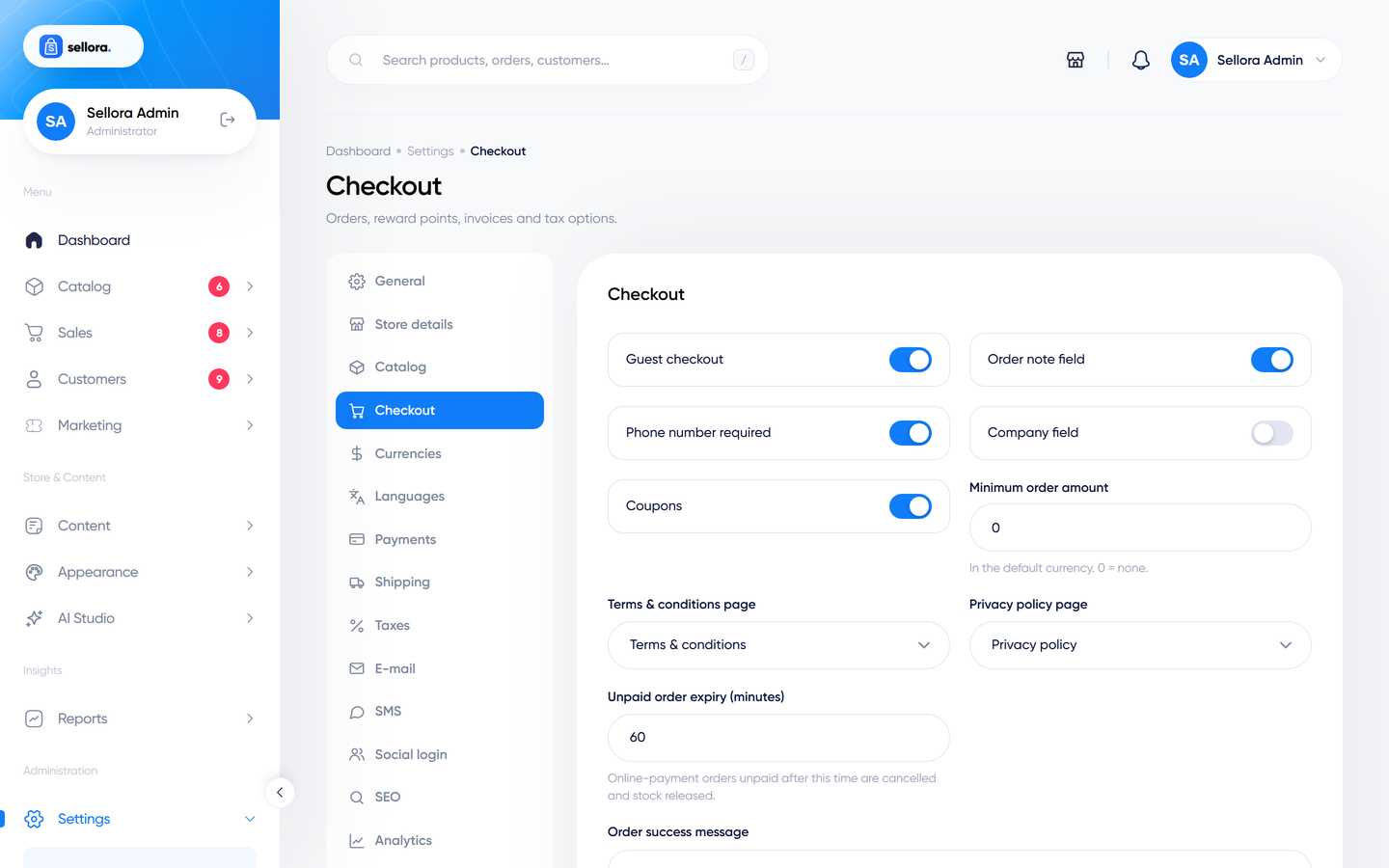
| Group | Fields |
|---|---|
| Checkout | Guest checkout, order note field, phone number required, company field, coupons on/off, minimum order amount, terms and privacy pages, unpaid-order expiry (minutes), the success message. |
| Reward points | Enable points, points earned per currency unit, value of one point, minimum points to redeem, sign-up bonus. |
| Invoices | Order number prefix, invoice number prefix, invoice note. |
| Abandoned carts | Hours before the reminder, coupon code offered in reminders. |
| Tax | Calculate tax on shipping or billing address, prices entered include tax, display prices with tax, shipping is taxable (see Taxes). |
Maintenance#
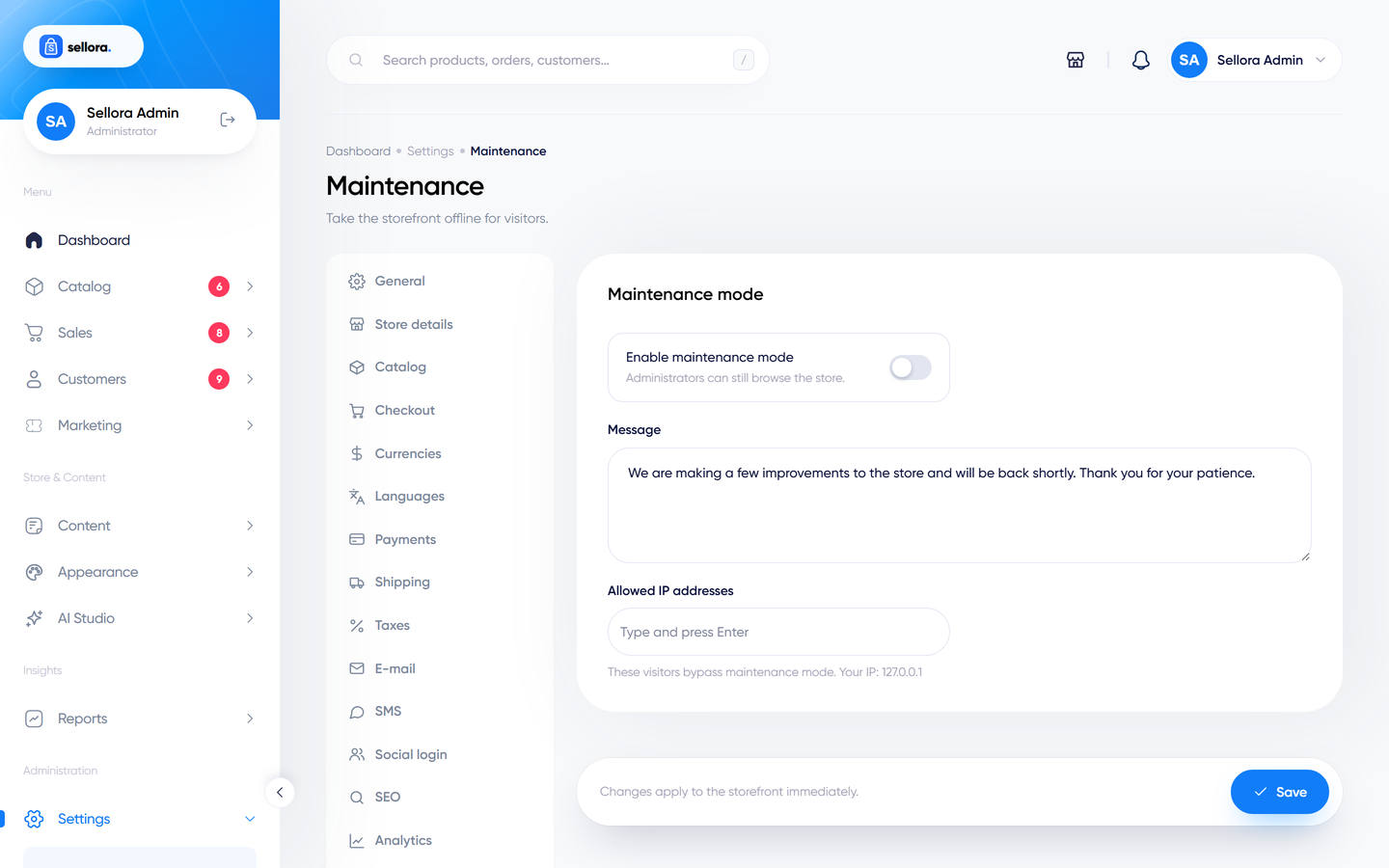
Turn on maintenance mode while you work on the site: visitors see your message and administrators can still use the store. You can list allowed IP addresses that may browse normally.
API#
Enable or disable the REST API and create access tokens - see REST API.
Security#
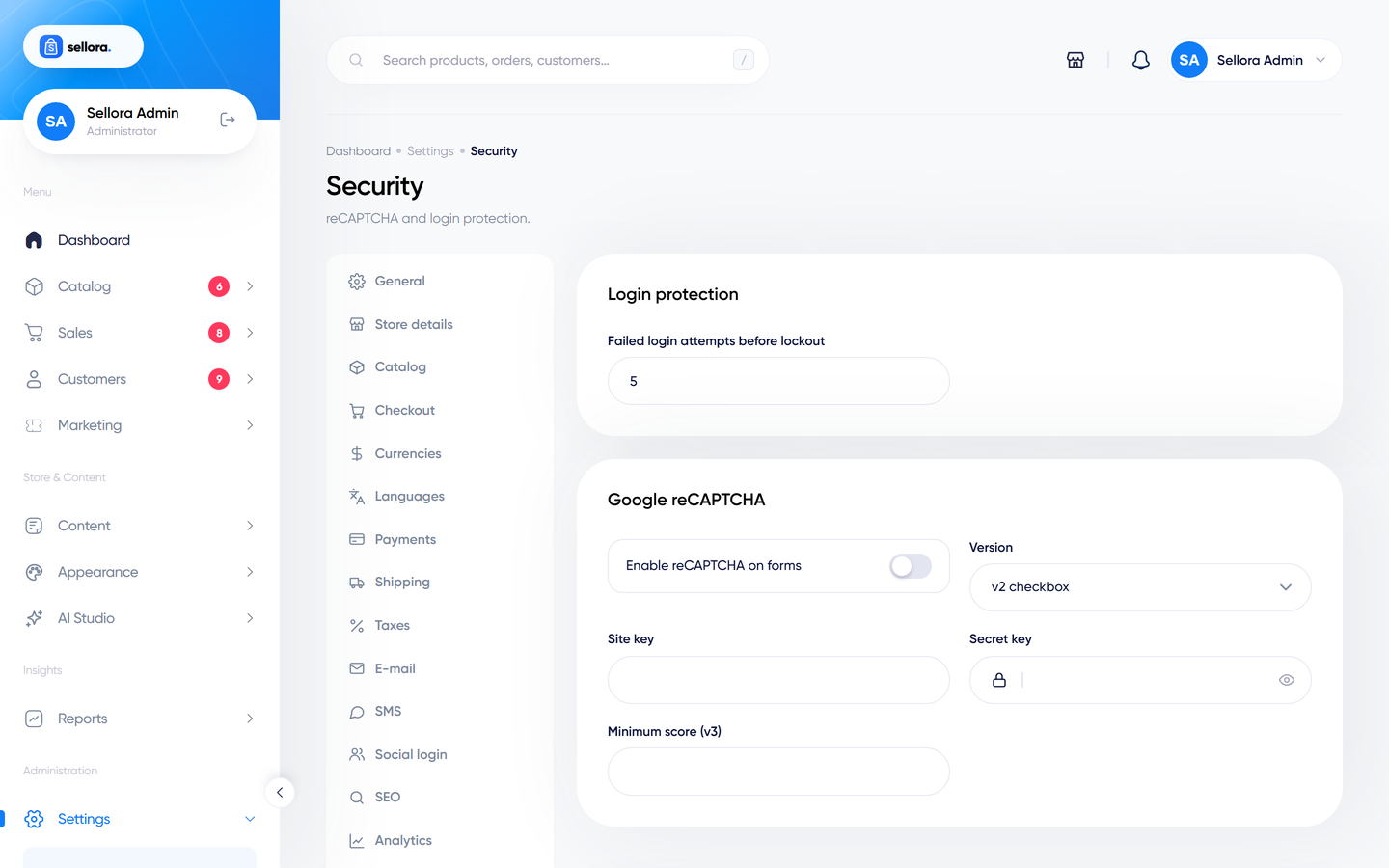
The number of failed login attempts before lockout, and reCAPTCHA (enable on forms; version v2 or v3, site key, secret key, minimum score for v3). Keys come from Google's reCAPTCHA admin console.