
Analytics, cookies and newsletter
Add Google Analytics, Tag Manager and Facebook Pixel, show a cookie bar and collect newsletter subscribers.
Analytics and tracking scripts#
Open Settings > Analytics.
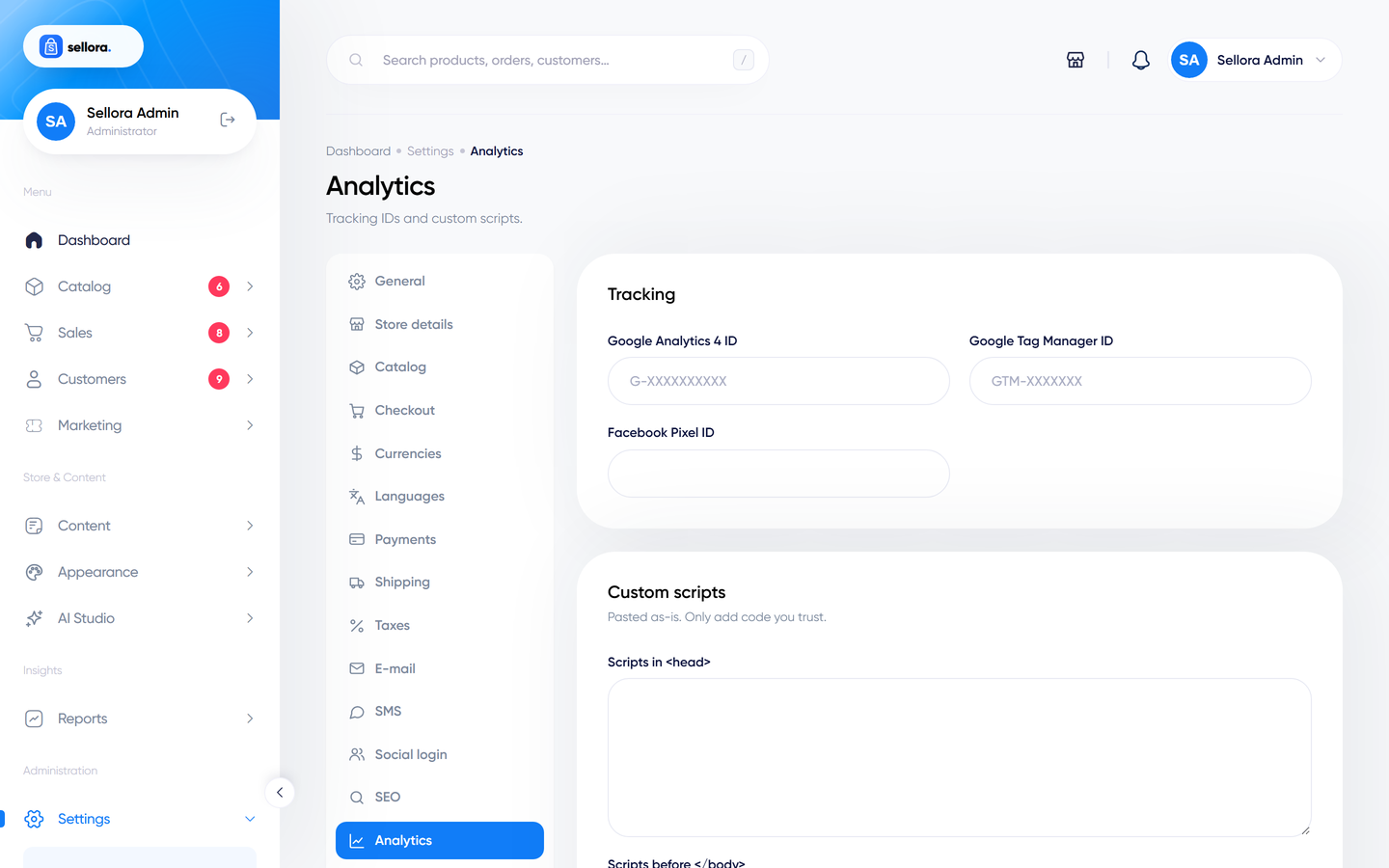
| Field | What to enter |
|---|---|
| Google Analytics 4 ID | G-XXXXXXXXXX from your GA4 property. |
| Google Tag Manager ID | GTM-XXXXXXX if you manage tags in GTM (do not add GA4 twice). |
| Facebook Pixel ID | Your Pixel ID. |
Scripts in <head> / before </body> |
Any other tracking snippet. Paste the whole <script> tag. |
Leave a field empty to switch that tracker off. Remember that tracking scripts usually require visitor consent in the EU, UK and several other regions.
Cookie bar#
Open Settings > Cookies.
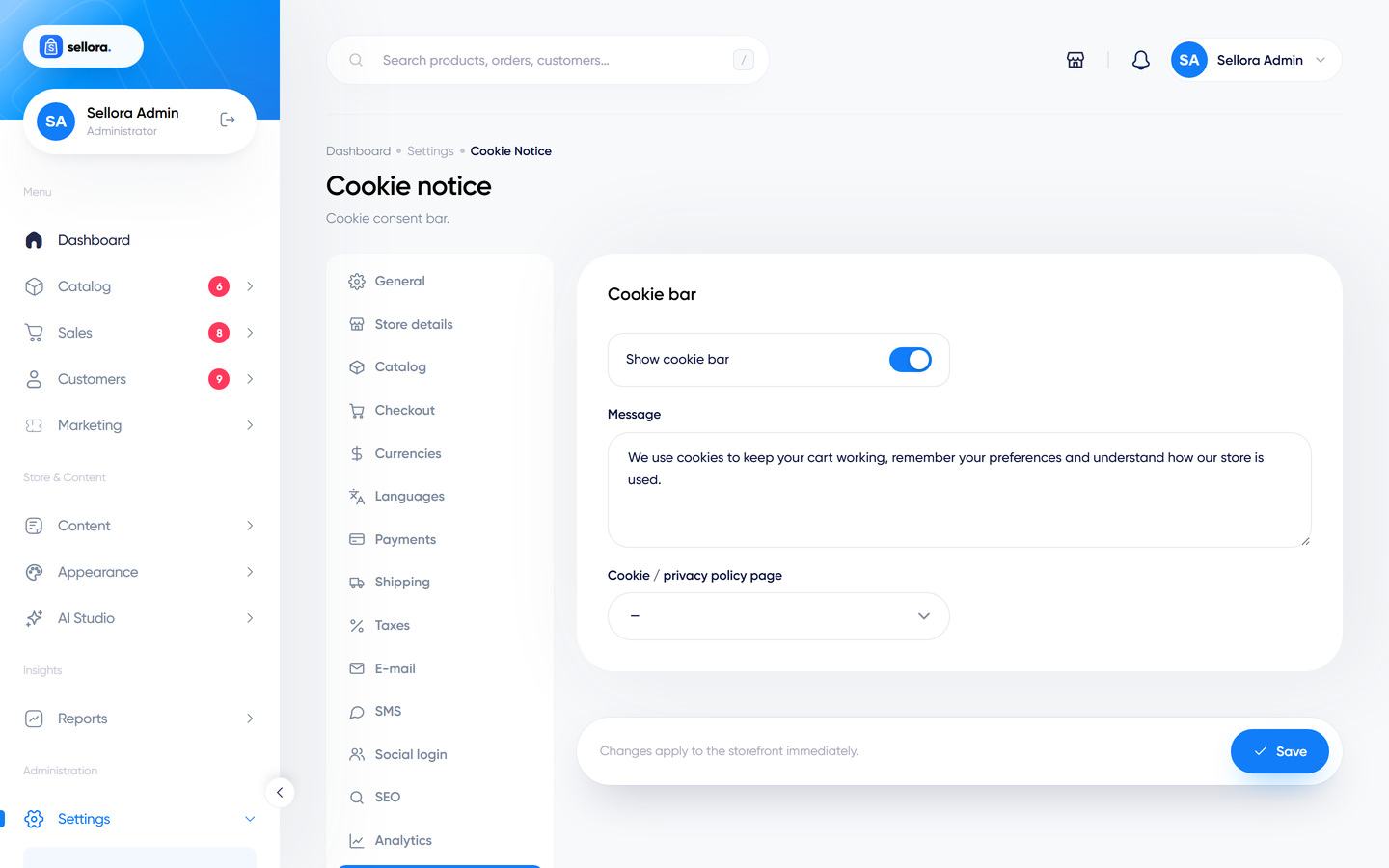
- Show cookie bar turns the banner on.
- Message - the text shown (translatable).
- Cookie / privacy policy page - pick the CMS page the "Learn more" link opens.
Legal responsibility
The cookie bar informs visitors and records their choice. Whether your tracking scripts are blocked until consent is given is your responsibility: check what your scripts do, and take legal advice for your markets. If you need strict consent management, use a dedicated consent tool through the Analytics head-script field.
Newsletter#
Open Settings > Newsletter.
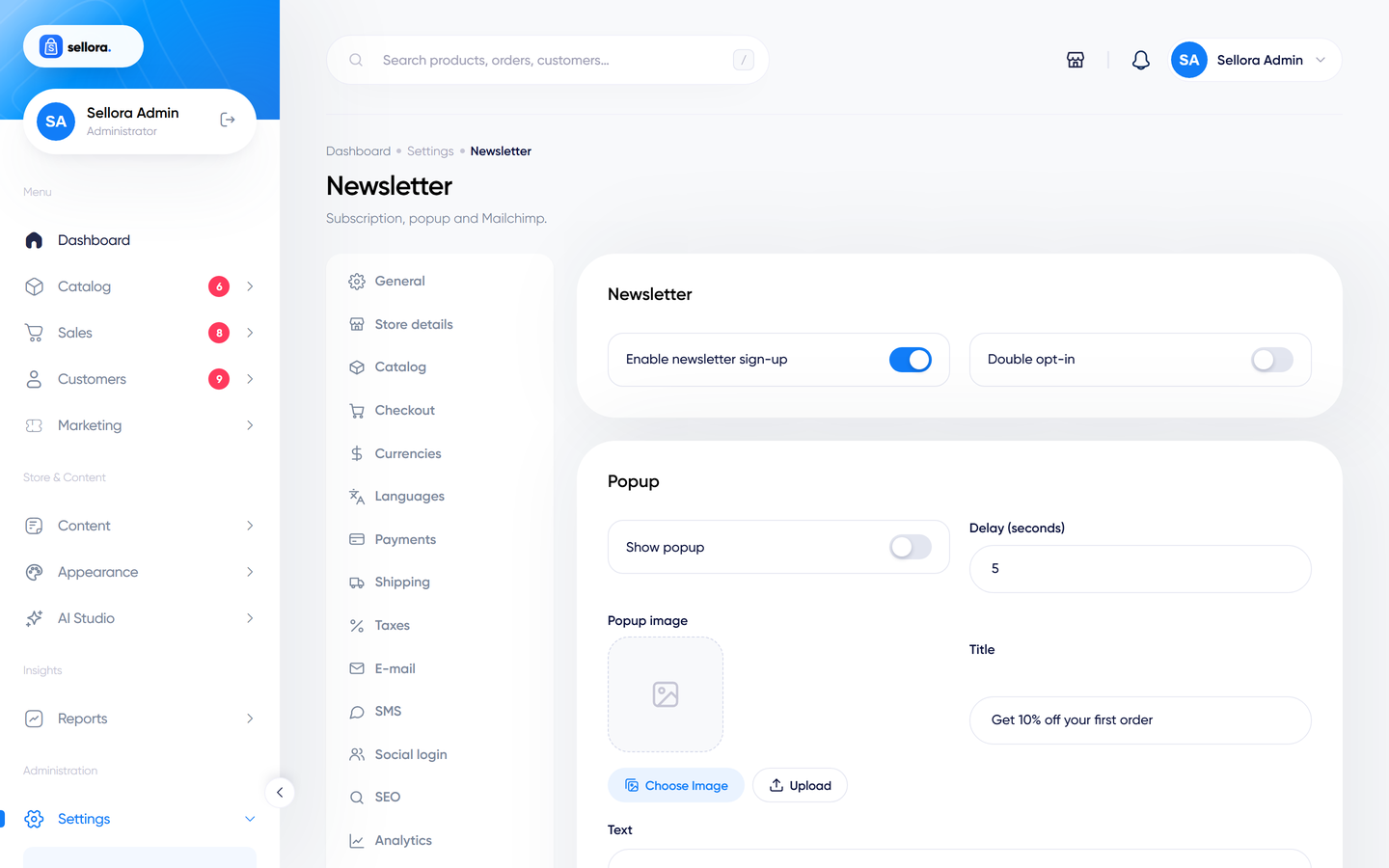
| Field | Meaning |
|---|---|
| Enable newsletter sign-up | Shows the sign-up forms (footer, home section). |
| Double opt-in | Subscribers must confirm by e-mail. |
| Show popup, Delay | A sign-up pop-up after a number of seconds, with its own image, title and text. |
| Mailchimp API key and audience ID | Stored for integrations. |
Everyone who signs up is stored in Customers > Subscribers, where you can export them as CSV and send campaigns - see Coupons, flash sales and campaigns. The supported way to move subscribers to an external service (Mailchimp, Brevo ...) is the CSV export; direct synchronisation with a third-party list is not part of this version.