
Configure SMTP, send a test e-mail and understand which e-mails Sellora sends.
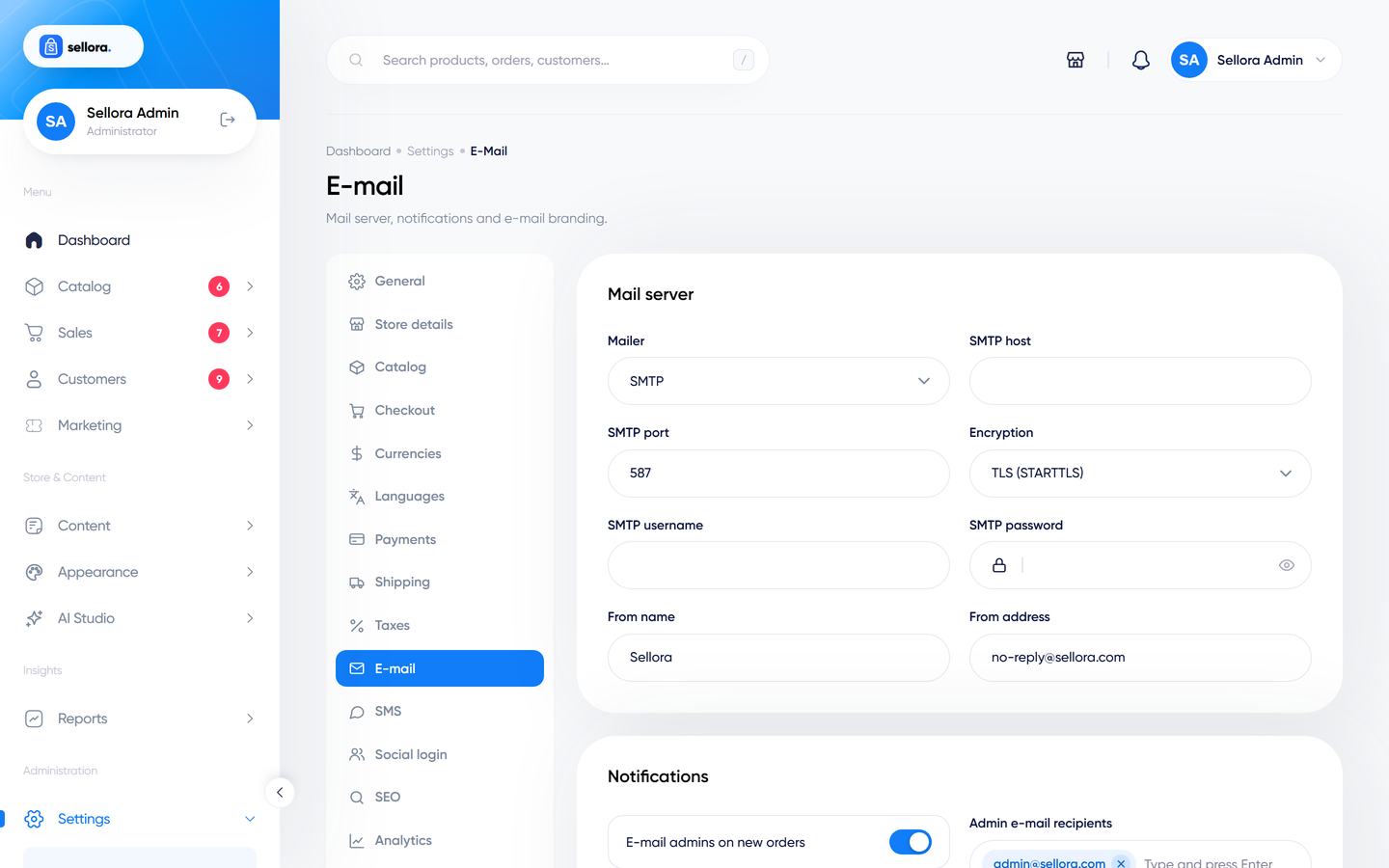
Open Settings > E-mail.
Why this matters#
Until you configure a real mail server, Sellora uses the log mailer: messages are written to storage/logs and nobody receives them. Set up SMTP before you take orders.
Server settings#
| Field | Notes |
|---|---|
| Mailer | smtp, or log (testing only). |
| SMTP host, port, encryption | From your mail provider. Typical: port 587 with TLS, or 465 with SSL. |
| SMTP username and password | The password is stored encrypted and left blank on later saves to keep the saved one. |
| From name, From address | Use an address on your own domain. |
Good sending services (any provider that offers SMTP): your host's mail, Brevo, Mailgun, Amazon SES, Postmark, Google Workspace. For deliverability set up SPF, DKIM and DMARC records for your domain with your mail provider.
Test it#
Use Send test e-mail on the same page: enter an address and send. A success message confirms the mail server accepted it. If it fails, the error is shown; also check storage/logs/laravel.log.
Notifications#
| Setting | Effect |
|---|---|
| E-mail admins on new orders, Admin e-mail recipients | Who gets a new-order alert (and new tickets and customer replies). |
| Notify customers when an order becomes ... | Choose the order statuses that trigger a customer e-mail. |
| Send welcome e-mail to new customers | After registration. |
| Require e-mail verification | Customers must click a link before they can use their account. Test it with a real address before turning it on. |
E-mail branding#
E-mail logo, Accent color and Footer text style the e-mail layout.
E-mails Sellora sends#
Order placed (customer and admin), order paid, order status changes, abandoned-cart reminder, back-in-stock notification, welcome, password reset, e-mail verification, ticket replies (customer and staff), one-time codes and newsletter campaigns.
Troubleshooting#
- Nothing arrives: check spam, the mailer setting (
logdoes not send), the SMTP credentials and your host's outgoing-mail rules (some block port 25). - Customers do not receive order e-mails but admins do: check the statuses selected under "Notify customers".
- Slow checkout: with the default synchronous queue, e-mail is sent while the customer waits. Use a fast SMTP provider.