
Taxes
Tax classes and rates, one-click presets (EU VAT, UK, US, Canada, Australia), and how tax is calculated.
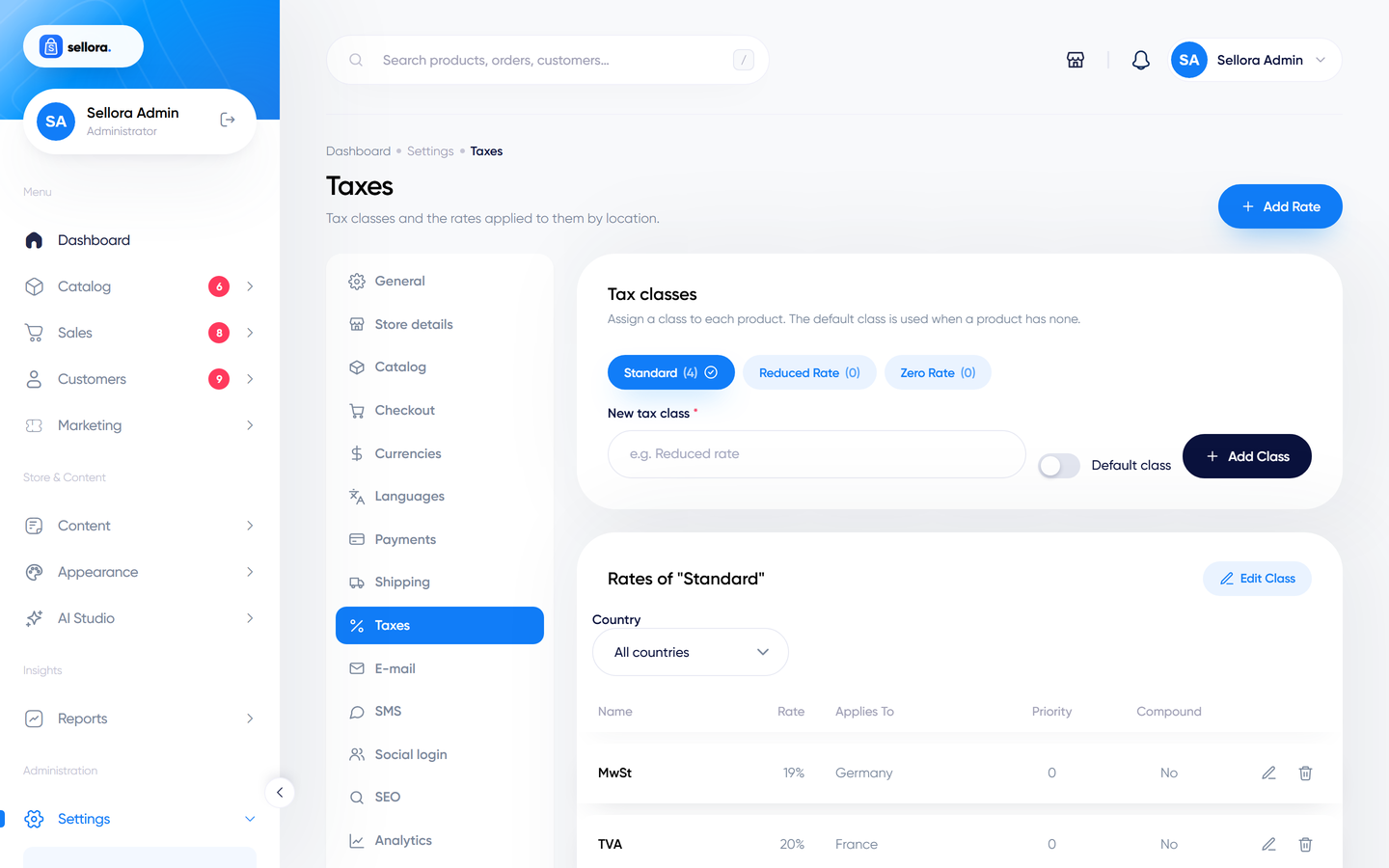
Open Settings > Taxes.
Note
Sellora calculates tax from the rates you enter. Tax rules differ by country and change over time; the presets are a starting point, not tax advice. Check the rates with your accountant.
Tax classes#
A tax class groups products that are taxed the same way. Sellora includes Standard (the default), Reduced rate and Zero rate. Assign a class to each product in the product editor (pricing section). Add your own classes if you need them.
Tax rates#
Each class has rates. A rate has:
| Field | Meaning |
|---|---|
| Name | Shown to the customer, e.g. "VAT" or "Sales tax". |
| Rate (%) | The percentage. |
| Country, State / region, ZIP, City | Where it applies. Leave state, ZIP and city empty for the whole country. |
| Priority | Rates with the same priority are not combined: the most specific one wins. Use different priorities to stack taxes. |
| Compound | Applied on top of the tax of lower priorities. |
Region matching expects the same format used for customer addresses (for example US state codes such as CA).
The sample data has US 7%, GB 20%, DE 19% and FR 20% on the Standard class.
Import a preset#
Click Import and choose a preset:
- EU VAT standard rates (27 member states)
- United Kingdom VAT (20%)
- US state sales tax (state base rates, a sample)
- Canada GST/HST
- Australia GST (10%)
After importing, review the rates and adjust the reduced and zero-rate classes yourself.
How tax is calculated#
Settings on Settings > Checkout (Tax group):
| Setting | Effect |
|---|---|
| Calculate tax based on | The customer's shipping or billing address. |
| Prices entered include tax | Whether the prices you type in the product editor already contain tax. |
| Display prices with tax | Whether the storefront shows tax-inclusive prices. |
| Shipping is taxable | Whether shipping costs are taxed too. |
Each order stores a snapshot of the tax breakdown, so later changes to rates do not alter past orders and the Taxes report (see Reports) stays accurate.
Tips#
- If no rate matches the customer's address, no tax is added.
- Selling to several countries? Import the preset for each region, then test checkout with an address in each.